Assessment Methodologies: Information Gathering CTF 1 Writeup
An INE Information Gathering CTF walkthrough covering robots.txt, service version detection, directory discovery, exposed backups, and website mirroring.
This walkthrough is for the INE training lab at
target.ine.local. Only run reconnaissance or testing against systems you own or are explicitly authorized to assess.
Introduction
I’m excited to share the solution to one of the early challenges I encountered while studying Information Gathering for the eJPT certification through INE. This walkthrough describes my approach to finding each flag.
What is a CTF?
Capture the Flag (CTF) competitions combine problem-solving, cybersecurity challenges, and teamwork. This challenge focuses on information gathering and reconnaissance: examining a target website for useful information, exposed files, and misconfigurations that may inform a security assessment.
INE provides the training site at http://target.ine.local. The flags use an MD5-looking format.
Flag 1: Search-engine instructions
The first hint points to robots.txt, a text file that website owners use to communicate crawler preferences. Its Disallow entries tell compliant crawlers which paths they should not index; these entries are not an access-control mechanism and do not make listed resources private.
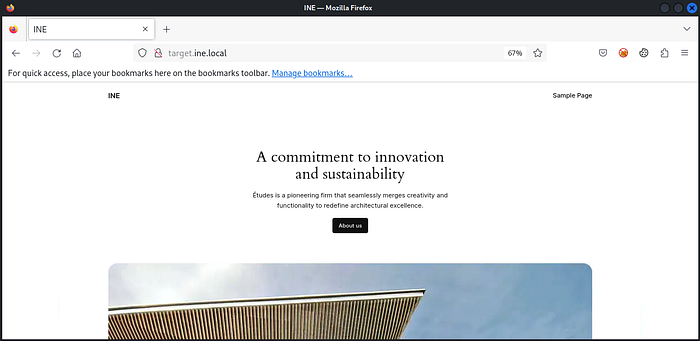
I first opened the lab website:
Then I checked robots.txt:
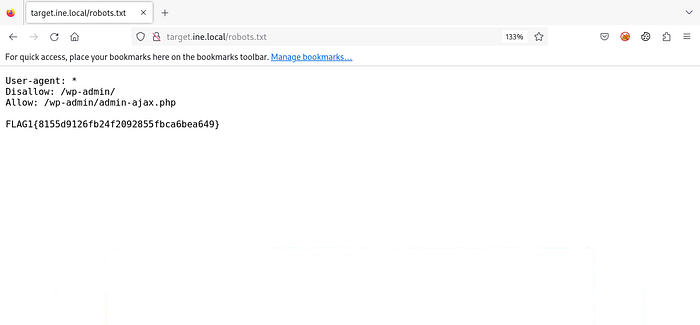
The file contained the first flag.
Flag 1:
8155d9126fb24f2092855fbca6bea649
Flag 2: Identify the website and version
The next question asked which website software was running and which version. I used Nmap’s default scripts and service-version detection:
1
nmap -sC -sV target.ine.local
-sCruns Nmap’s default set of NSE scripts.-sVattempts to identify service versions.
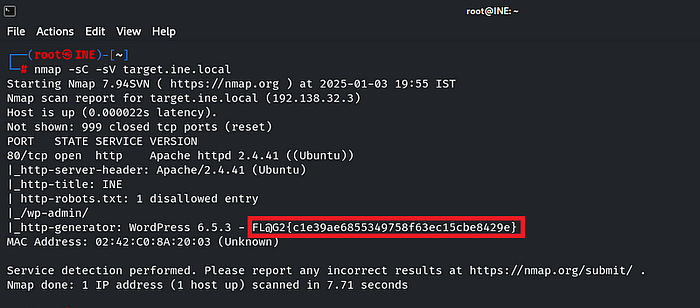
The scan output provided the information needed to answer the challenge.
Flag 2:
c1e39ae6855349758f63ec15cbe8429e
Flag 3: Directory browsing
The hint suggested checking whether directory browsing revealed where files were stored. I used DirB to discover paths in the authorized lab:
1
dirb http://target.ine.local
DirB sends requests for words from a list and reports paths that return interesting responses:
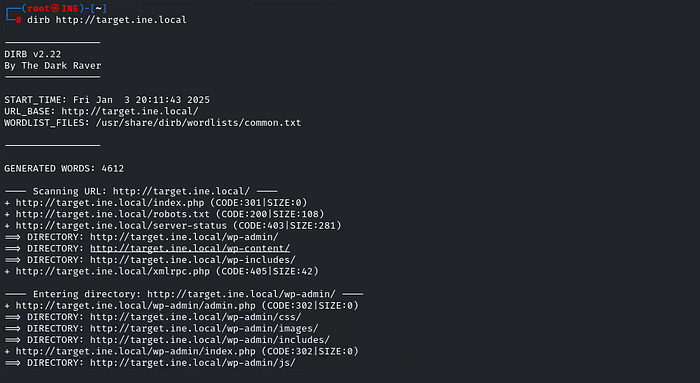
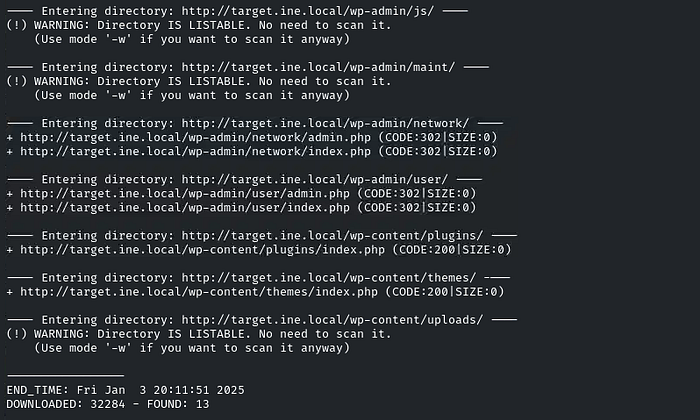
The results led to the wp-content/uploads directory:
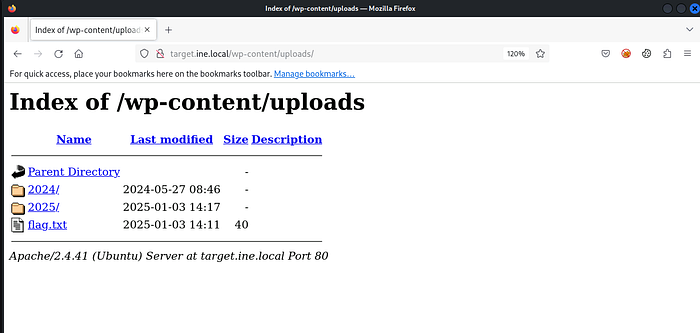
It contained a flag.txt file:
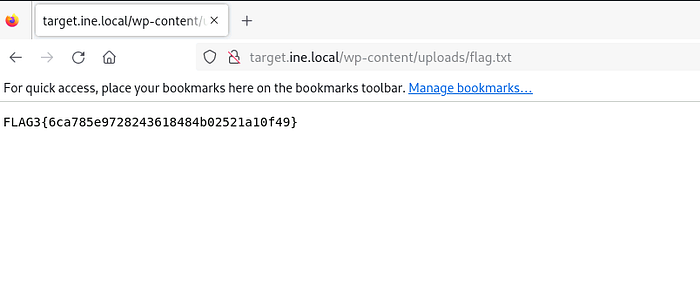
Flag 3:
6ca785e9728243618484b02521a10f49
Flag 4: Backup file in the webroot
A backup file in a webroot can expose sensitive configuration details if it is publicly accessible. I searched for backup extensions with DirB:
1
dirb http://target.ine.local -w /usr/share/dirb/wordlists/big.txt -X .bak,.tar.gz,.zip,.sql,.bak.zip
Here, -w selects the wordlist and -X appends the listed file extensions to candidate names.
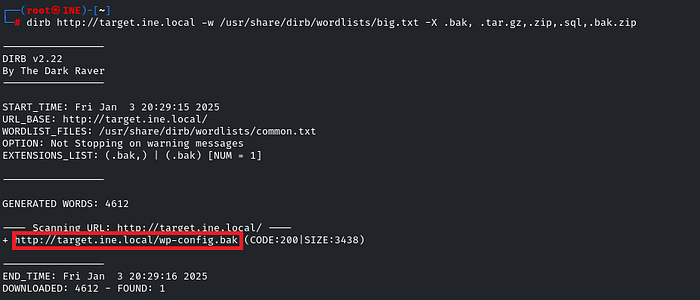
The scan found wp-config.bak. I requested the file with curl:
1
curl http://target.ine.local/wp-config.bak

The response contained the fourth flag:
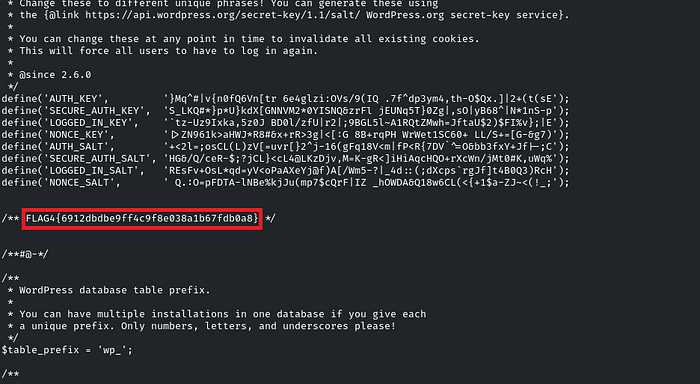
Flag 4:
6912dbdbe9ff4c9f8e038a1b67fdb0a8
Flag 5: Mirroring the website
The final hint suggested mirroring the website. HTTrack can download site content for offline review. In the lab, I installed and ran it with:
1
2
sudo apt install httrack
httrack http://target.ine.local -O target.html
The -O option specifies the local output directory.

After the mirror completed, I searched the downloaded files:

The flag was in xmlrpc0db0.php:
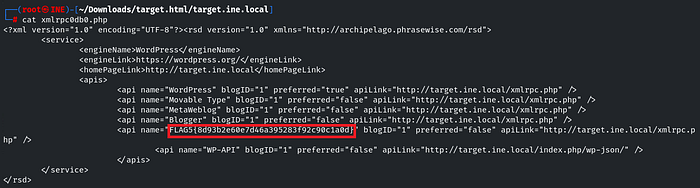
Flag 5:
8d93b2e60e7d46a395283f92c90c1a0d
Conclusion
This challenge demonstrates how methodical information gathering can reveal useful details without beginning with complex exploitation. Reviewing crawler directives, identifying service versions, discovering directories, checking for exposed backup files, and analyzing a local website mirror each contributed to finding a flag.
Whether you are new to CTFs or have more experience, each challenge is an opportunity to practice and improve. Keep reconnaissance within authorized environments, document what you discover, and use the findings to understand how exposed information could affect a real application.
Originally published on Medium.